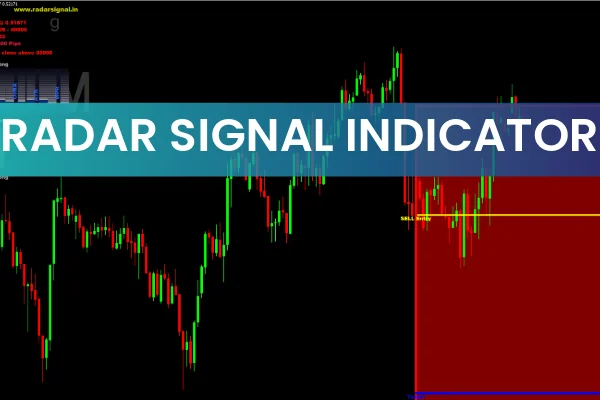
The Radar Signal Indicator for MT4 is a powerful trading tool that generates precise buy and sell signals using a combination of seven technical indicators and multi-timeframe confirmation. This layered approach produces high-quality, reliable trading signals suitable for both beginner and advanced traders.
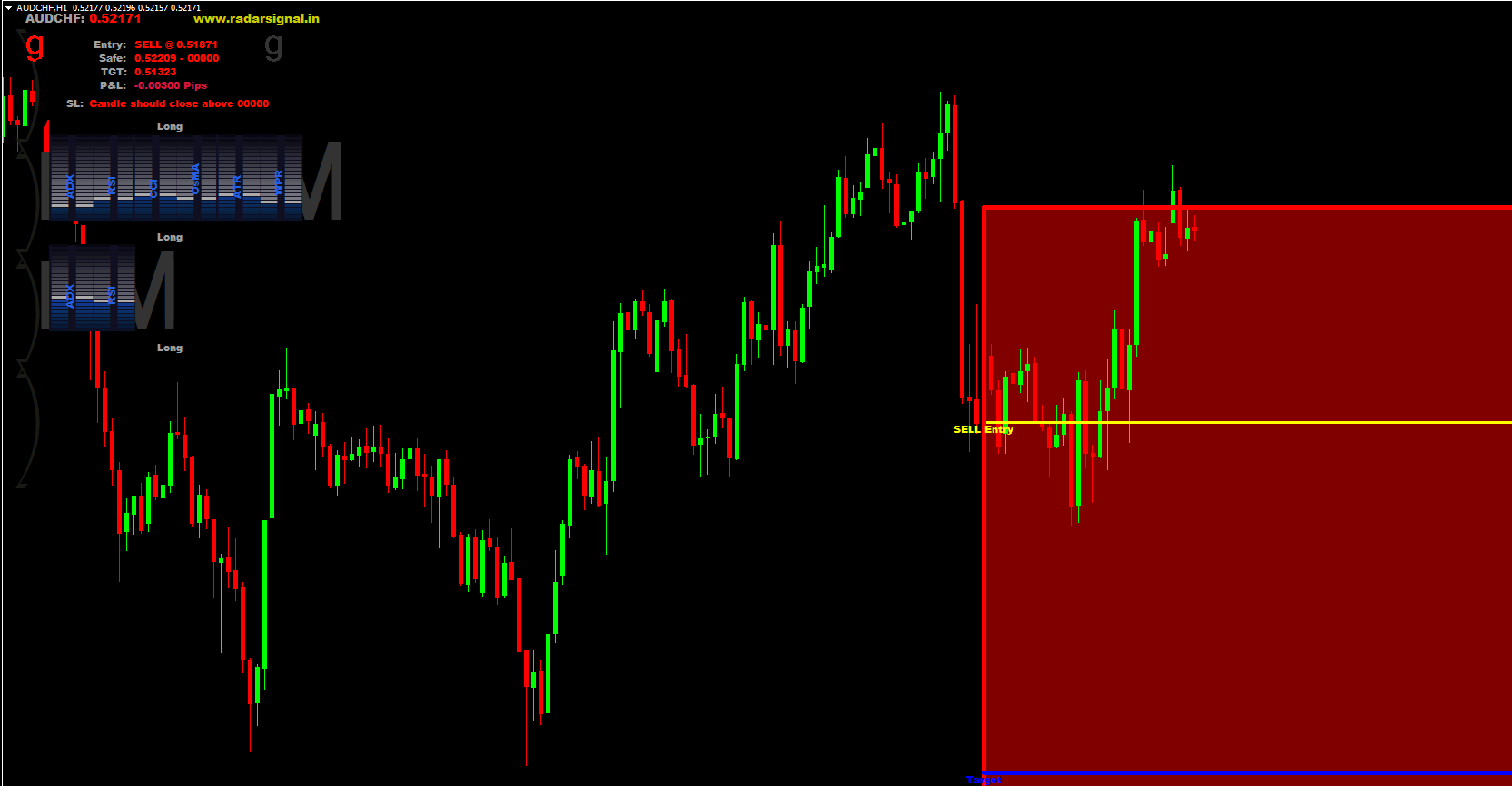
The indicator automatically provides entry levels, stop losses, profit targets, and a safe trading zone. All trade details are displayed on the chart through horizontal lines and in the MT4 comments panel, making the signals easy to interpret.
It works efficiently on all MT4 chart timeframes—from M5 Scalping to higher-timeframe swing trading.
How the Radar Signal Indicator for MT4 Works
This indicator blends multiple classic MT4 indicators, including:
ADX (Trend Strength)
RSI (momentum)
CCI (trend shifts)
OsMA (MACD histogram momentum)
ATR (volatility)
WPR (overbought/oversold conditions)
Each of these indicators is represented on the dashboard in blue (bullish) or red (bearish). This makes it simple to check whether momentum and trend across different indicators are aligned.
Once all conditions meet the algorithm’s criteria, the Radar Signal Indicator issues a signal with:
Entry point – yellow horizontal line
Profit target – blue horizontal line
Safe zone – red rectangle
Stop-loss rule – price must close beyond the stop-loss level, not just touch it
This stop-loss rule helps avoid unnecessary early exits caused by volatility spikes or wick rejections near major Support And Resistance levels.
Trading Signals Using the Radar Signal Indicator
Buy Signal (Bullish Trade Setup)
A BUY signal appears when most of the technical components show blue (bullish). The indicator then plots:
Yellow entry line below price
Blue target line above price
Red safe zone rectangle showing the valid area for the trade
Stop-loss shown in the chart comments
Traders should enter the BUY trade when price approaches or breaks the entry level, while remaining inside the safe zone.
Sell Signal (Bearish Trade Setup)
A SELL signal appears when a majority of the technical indicators turn red. The indicator then draws:
Yellow sell entry line
Blue take-profit line below
Red safe zone
Stop-loss conditions in comments
As long as price stays within the safe zone and indicators remain red, the bearish setup remains active.
Multi-Timeframe Confirmation (MTF)
The Radar Signal Indicator uses readings from higher timeframes to confirm the direction of the trend. This significantly reduces false signals, especially during choppy markets.
When both the current and higher timeframe indicators agree → signal = high quality
When only some indicators align → signal = moderate quality
Advanced traders often wait for full alignment across multiple timeframes before entering.
Managing Trades With the Safe Zone
One of the most valuable features of this indicator is the safe zone:
Price should remain inside this red rectangle after entry
If price breaks outside of the safe zone, the trade becomes risky
Traders should monitor momentum and prepare to close the trade if the market moves strongly against the setup
This helps reduce emotional decision-making and improves trade management.
Conclusion
The Radar Signal Indicator for MT4 is designed for traders seeking structured and reliable buy/sell signals derived from multiple technical indicators. It performs best in trending markets and provides highly profitable setups on higher timeframes like H1, H4, and D1.
With its combination of seven indicators, clear visual signals, and built-in risk management features, this tool is ideal for traders who want a disciplined and rule-based trading approach.
For more premium and free MT4 indicators, visit IndicatorForest.com.
FAQ
23 Downloads
Published:
Nov 23, 2025 21:14 PM
Category: