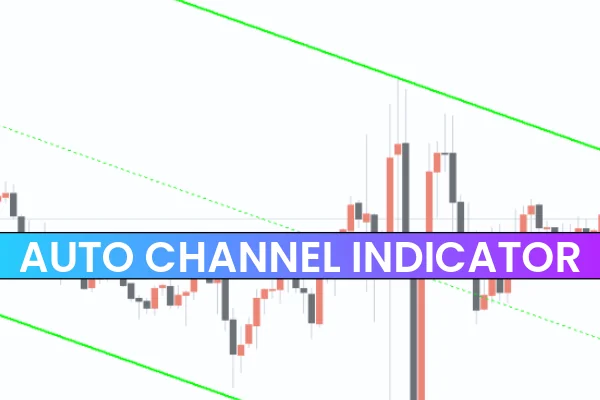
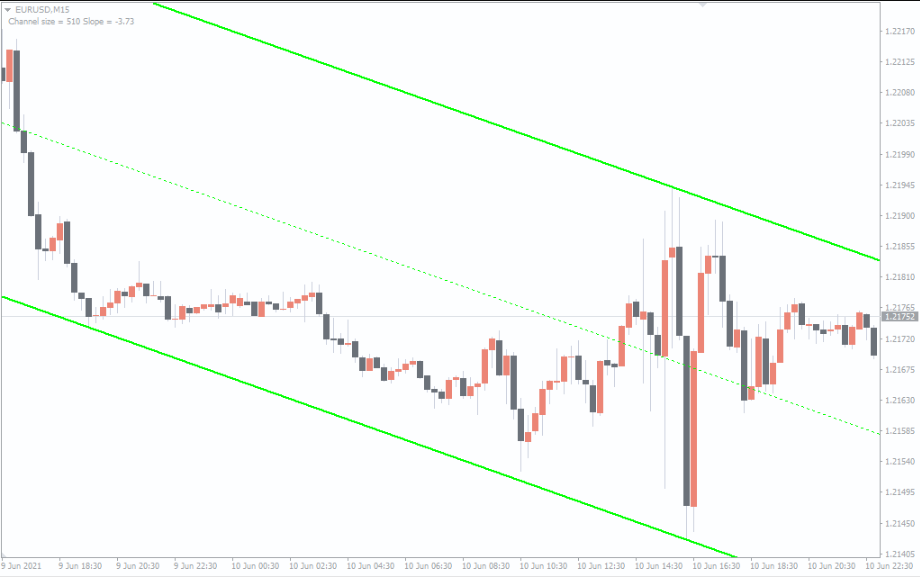
The Auto Channel Indicator for MT4 is one of the most useful tools for forex traders, automatically drawing equidistant trend channels on your chart. These channels help identify bullish and bearish market conditions while highlighting key Support And Resistance levels. The indicator also displays the slope and size of the channel, which makes spotting potential entry points and setting risk-reward ratios much easier.
By automating channel creation, this indicator saves time for both new and advanced traders. Beginners often struggle to draw accurate channels manually, while experienced traders can integrate the channels into sophisticated trading strategies for both trend-following and counter-trend trades.
How the Auto Channel Indicator MT4 Works
On your MT4 chart, the Auto Channel Indicator displays:
Outer channel lines in GREEN representing support and resistance
Midline as a dotted GREEN line
Red circles when price touches outer channel boundaries
Slope and channel size as chart comments
For example, on a USDCAD M30 chart, the indicator automatically calculates the trend and plots the channels accurately. The outer lines indicate optimal entry points, while the midline can be used as a dynamic reference for trade management.
Trading Strategies Using Auto Channel Indicator
Trading Bullish Channels
Identify an ascending channel, which signals a bullish trend.
Place BUY trades near the lower channel line, which acts as support.
Confirm entry with a bullish reversal candlestick.
Place stop-loss below the previous swing low and take profit at the upper channel line.
Trading Bearish Channels
Identify a descending channel, indicating a bearish trend.
Enter SELL trades near the upper channel line, acting as resistance.
Confirm entry with a bearish reversal candlestick.
Place stop-loss above the previous swing high and target the lower channel line for take profit.
By combining Price Action confirmation with the automatically drawn channels, traders can enhance accuracy and minimize risk.
Multi-Timeframe and Technical Applications
The Auto Channel Indicator for MT4 works across intraday, daily, weekly, and monthly charts. Its multi-timeframe functionality allows traders to analyze higher timeframe trends while spotting precise entry points on lower timeframes. This makes it suitable for:
Scalping: Quick trades within intraday channels
Swing Trading: Capturing price movement within larger trends
Trend-Following: Riding bullish or bearish channels
Counter-Trend Trading: Trading reversals near channel boundaries
The indicator also helps calculate the risk-reward ratio, as the stop-loss is usually small compared to potential profit targets provided by the channel boundaries.
Advantages of the Auto Channel Indicator MT4
Automatically draws accurate equidistant channels
Highlights bullish and bearish trends
Provides support and resistance levels
Displays channel slope and size for trade planning
Works on all timeframes from M1 to MN
Enhances trend and reversal trading strategies
Free to download and easy to install
This combination of automation, accuracy, and flexibility makes the Auto Channel Indicator a must-have tool for technical forex traders.
Conclusion
The Auto Channel Indicator for MT4 is an essential tool for any trader’s arsenal. It automatically plots trend channels, identifies bullish and bearish conditions, and marks support and resistance levels to guide entry and exit points. By combining automated channels with price action confirmation, traders can trade both trend-following and counter-trend strategies with higher confidence.
Download the Auto Channel Indicator for MT4 today at IndicatorForest.com to simplify technical analysis and improve your forex trading strategies.
FAQ
19 Downloads
Published:
Nov 29, 2025 12:12 PM
Category: